

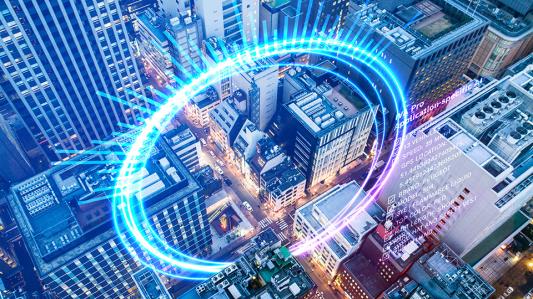
Security cameras used to be treated mainly as recording devices: install them, retain footage, and review video after an incident. That model is changing. Modern intelligent video analytics can interpret activity as it happens, classify objects, count people, detect rule violations, and generate searchable metadata. For building operators, the result is a shift from passive surveillance toward a more responsive security and operations layer.
Bosch’s IVA Pro Buildings is a useful example of that transition. The platform is designed for building-related scenes where teams need to detect, track and classify people and vehicles, support people counting, and create event logic around movement. A practical overview of IVA Pro Buildings tech shows how this type of analytics can support security teams without turning every camera event into a manual review task.
What Is Intelligent Video Analytics for Buildings?
Intelligent video analytics for buildings is software that analyzes camera footage automatically and converts visual activity into events, classifications and metadata that security or facility teams can use. Instead of asking an operator to watch every screen, analytics can identify defined conditions and surface the scenes that deserve attention.
In practical terms, a building-focused analytics system may be configured to:
- Detect and classify people or vehicles entering a monitored area.
- Count people moving through an entrance, corridor or defined zone.
- Monitor parking occupancy or activity in exterior areas.
- Trigger an event when an object crosses a virtual line or enters a restricted field.
- Attach metadata to detected objects so recorded video can be searched more efficiently later.
Bosch documentation describes IVA Pro Buildings as a deep-learning-oriented package for accurate detection, tracking and classification of people and vehicles in busy scenes. That distinction matters because a busy lobby, loading area or car park can generate far more motion than a human operator can reliably interpret in real time.
Why Edge AI Changes the Building-Security Workflow
Many modern cameras perform analytics at the edge, meaning important processing happens on or near the camera rather than requiring every frame to be sent to a remote analytics server. Edge processing can shorten the path between an event and an alert, reduce dependence on centralized compute for basic detection tasks, and allow the video system to generate structured metadata close to the source.
For a facility manager, the value is not simply “AI on a camera.” The value is operational. A well-designed rule can turn a large amount of video into a smaller set of actionable events. Security teams can focus on exceptions while still retaining footage and metadata for investigation, compliance, or operational analysis.
Five High-Value Use Cases in Smart Buildings
1. Intrusion and restricted-area monitoring
A virtual field can be placed around sensitive zones such as service corridors, rooftop access points, loading areas or equipment rooms. The analytics can be tuned to alert on defined object classes and movement patterns. This is more useful than raw motion detection in scenes where trees, reflections, weather, or normal background activity would otherwise create excessive alarms.
2. People counting and occupancy awareness
People-counting analytics can support security as well as operations. A building team may use counts to understand entrance activity, compare traffic across zones, or support occupancy planning. The analytics should be treated as one input into operational decisions rather than a substitute for local safety codes or certified occupancy systems.
3. Parking and exterior-area intelligence
Vehicle detection and occupancy logic can help teams understand how car parks, service roads and loading areas are being used. In larger sites, this can reduce the amount of time staff spend manually checking whether a zone is blocked or whether unexpected activity is taking place.
4. Flow and line-crossing events
Virtual lines are simple but powerful. They can identify movement into a controlled direction, detect entry into staff-only space, or count movement between areas. The best deployments use a small number of clear rules tied to an operating procedure; hundreds of poorly designed alerts usually create alarm fatigue rather than better security.
5. Faster forensic search
Metadata can make recorded video more useful after an event. Instead of manually scanning hours of footage, an investigator can narrow a search around time, location, object class or other available attributes. That can reduce investigation time and make a video system more valuable even when no real-time alert was configured for the original event.
Video Analytics Works Best When It Connects With Other Building Systems
A camera analytics layer should not be designed in isolation. Access control, video management, alarm handling, visitor systems and building procedures all affect the usefulness of an alert. For example, an access-control event can explain why a person entered a door, while video can help validate what actually happened around that event.
That is why a strong implementation starts with scenarios rather than features. The team should define what must be detected, what a valid alert looks like, who receives it, what action follows, and how the event is documented. Once those questions are clear, camera placement, analytics rules and integrations can be engineered around the workflow.
Cybersecurity and Privacy Need to Be Designed In
Smart cameras and analytics are connected technology, so cybersecurity belongs in the project requirements. NIST’s 2026 revision of its foundational IoT cybersecurity guidance emphasizes designing products and deployments around cybersecurity capabilities, customer needs, maintenance and support. For building owners, that translates into practical questions about device identity, configuration control, software updates, network segmentation, credential management and lifecycle support.
Privacy deserves the same attention. Teams should collect only the video and metadata needed for a legitimate purpose, restrict access, establish retention rules, and evaluate masking or privacy controls when appropriate. The objective is not to maximize data collection. It is to build a security system that is useful, proportionate and manageable.
How to Evaluate an IVA Deployment Before Scaling It
A pilot should test the actual scene, not a perfect demonstration environment. Lighting, camera angle, crowd density, reflections, weather, mounting height and object distance can all influence results. A practical evaluation framework includes:
- Define the target event and acceptable response before configuring the rule.
- Confirm that the camera view gives the analytics enough usable detail.
- Measure missed detections and nuisance alarms across representative operating conditions.
- Verify how alerts appear inside the existing video-management or security workflow.
- Document configuration changes so successful settings can be reproduced.
- Review cybersecurity, permissions, retention and privacy requirements before expansion.
The most successful deployments are usually iterative. Teams start with a few high-value scenarios, tune them, establish standard operating procedures, and scale only after operators trust the alerts.
Frequently Asked Questions
What is the difference between video analytics and ordinary motion detection?
Traditional motion detection reacts to changes in a scene. Intelligent video analytics can apply richer logic such as object classification, tracking, counting, virtual zones and metadata. The practical advantage is the ability to define more meaningful events instead of treating every movement as equally important.
Can intelligent video analytics replace security staff?
No. Analytics is best treated as a decision-support and alerting layer. Human operators still interpret context, verify incidents, follow escalation procedures and make decisions that software should not make on its own.
Does a smart-building camera need cloud processing?
Not necessarily. Many systems support analytics at the edge, while others use servers or cloud services for additional functions. The right architecture depends on latency, bandwidth, integration, cybersecurity, retention and operational requirements.
What should be tested during an IVA pilot?
Test representative lighting and traffic conditions, detection accuracy, nuisance alarms, camera geometry, integration behavior, operator response, cybersecurity controls and privacy requirements. A pilot should prove the full workflow, not just the algorithm.
Conclusion: Turn Video Into an Operational Signal
Intelligent video analytics for buildings is most valuable when it solves a defined operational problem. People counting, intrusion detection, parking awareness, line crossing and forensic search can all reduce manual effort, but only when the analytics is matched to the scene and connected to a clear response process.
For security integrators and facility teams evaluating IVA Pro Buildings technology, the next step is to map the highest-value building scenarios, test them under real operating conditions, and design cybersecurity and privacy controls alongside the analytics. Done well, a camera system stops being only a recorder and becomes a more useful source of timely, structured information.
