

Every piece of content has a limit somewhere. An essay has a word limit, a tweet has a character limit, a meta description gets cut off in search results, and a conference talk has to fit a time slot. If you write for a living, or even just for school or your own business, you are counting all the time, whether you notice it or not.
That is why a reliable word counter is one of the most-used tools in any writer’s toolkit. In this article, we look at why word and character counts matter for content writing, SEO and digital marketing, and how to use an online word counter to save time and avoid costly mistakes.
What Does a Word Counter Actually Measure?
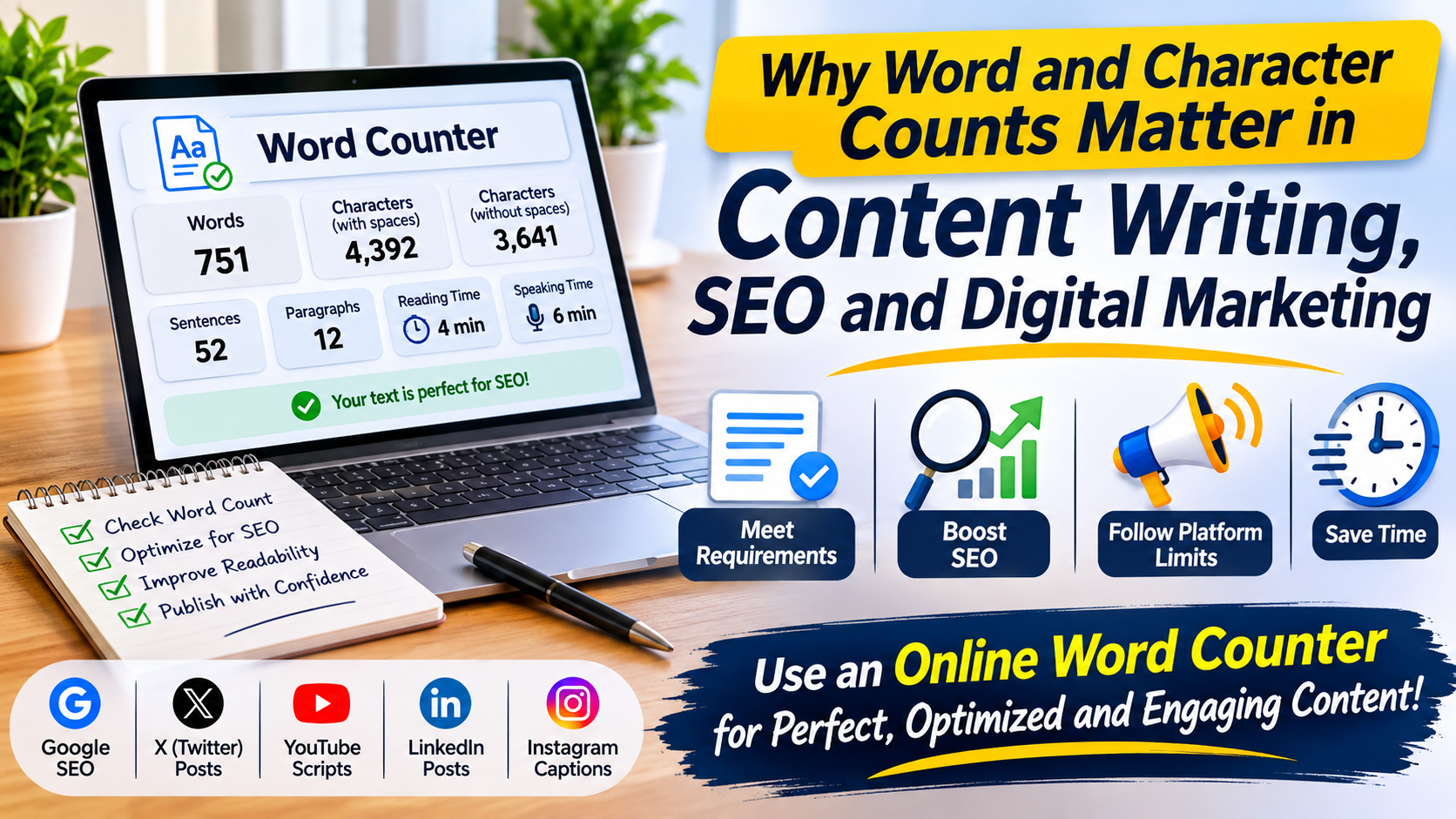
A good word count tool goes beyond a single number. Alventra’s Word Counter, for example, shows seven figures for any text you paste or type:
- Words
- Characters (including spaces)
- Characters without spaces
- Sentences
- Paragraphs
- Reading time
- Speaking time
All counts update as you type, so you can trim or expand a draft until it fits its limit. A word is any group of characters between spaces or line breaks, so “well-known” counts as one word, and so does a number like 2026. Reading time is based on 200 words per minute and speaking time on 130 words per minute, which are typical averages for silent reading and for presenting.
Why Word Count Matters in Content Writing
1. It keeps you within requirements
Essays, assignments, cover letters, application forms and client briefs almost always come with a word range. Going under can look lazy, and going over can get a submission rejected or trimmed. Checking your count as you write is much easier than cutting 300 words at the last minute.
2. It helps you match the content to the topic
There is no magic word count that guarantees good results. A quick how-to may only need a few hundred words, while a detailed comparison or guide may need far more. What matters is that the length fits what the reader is trying to find out. A word counter helps you notice when a draft is padded with filler, or when it is too thin to cover the topic properly.
3. It improves readability
Paragraph and sentence counts tell you a lot about how easy a page is to read. If you have 1,000 words in only two paragraphs, readers will struggle on a phone screen. Breaking text into shorter paragraphs and sentences makes it easier to scan.
4. It sets reader expectations
Reading time is useful for both writers and readers. At 200 words per minute, 1,000 words takes about 5 minutes to read. If you are preparing a talk or a video script, speaking time matters even more: read aloud at 130 words per minute, 1,000 words takes about 8 minutes.
Why Character Count Matters for SEO
Search results display only a limited amount of text, so characters matter as much as words. A character counter helps you write snippets that are not cut off mid-sentence.
- Meta descriptions: Google typically shows about 155 to 160 characters of a meta description. Anything longer risks being truncated, which can hide your call to action.
- Title tags: Titles also get shortened when they run long, so it pays to check them before publishing.
- URL slugs: Short, clean slugs are easier for people and search engines to understand. A text to slug tool turns a headline into a URL-friendly slug, and this guide on SEO-friendly URLs explains why it matters.
Writing a snippet and then checking its length takes seconds, and it makes your search listing look more polished.
Why Character Count Matters in Digital Marketing
In social media and advertising, the limits are strict, and platforms count in different ways.
X (Twitter): Standard accounts can post 280 characters. X counts every link as 23 characters and most emoji, along with Chinese, Japanese and Korean characters, as two. This means a count from a general tool can differ slightly from X’s own counter for posts with links or emoji, so always leave yourself a small buffer.
Spaces matter: Most social networks and online forms count spaces, while some translators and publishers price their work on characters without spaces. This is why a good online word counter shows both numbers, so you can use the one your platform follows.
Ad copy and captions: Headlines, descriptions and captions often have fixed character caps. A quick count before you submit helps avoid rejected ads and awkward cut-offs.
Quick Reference: Which Number Should You Check?
| Task | Count to check |
| Essay or assignment | Words |
| Blog post or article | Words, paragraphs, reading time |
| Meta description | Characters (with spaces) |
| Social media post | Characters (with spaces) |
| Translation or publishing quote | Characters (without spaces) |
| Talk, speech or video script | Speaking time |
How to Use an Online Word Counter in 4 Steps
Using a word counter takes seconds:
- Paste or type your text into the box.
- Read the counts for words, characters, sentences and paragraphs, which update as you type.
- Choose the right figure, either characters or characters without spaces, depending on how your platform counts.
- Check reading and speaking time if you are preparing an article or a presentation.
Tips for Better Content Using Word Counts
- Write first, count later. Do not let the number interrupt your flow. Draft naturally, then trim or expand.
- Cut filler before adding length. Remove repeated phrases and unnecessary words. If your text has repeated lines, a duplicate line remover cleans up lists quickly.
- Fix capitalization in one click. A case converter switches text between uppercase, lowercase, title case and sentence case without retyping.
- Leave a buffer. For social posts and meta descriptions, stay a few characters under the limit.
- Check before you publish. Count your headline, meta description and social captions as a final step.
Privacy: Does Your Text Stay Private?
When you paste a draft, a client brief or a cover letter into an online tool, you want to know where it goes. With Alventra’s word counter, the counting happens in your browser, and your text is never sent to a server. Reloading or closing the page clears it.
Frequently Asked Questions
What is a word counter?
A word counter is a tool that counts the words, characters, sentences and paragraphs in a piece of text as you type or paste it.
Does a character counter include spaces?
It depends on the tool. Alventra’s counter shows both: characters including spaces and line breaks, and characters without spaces.
How long does it take to read 1,000 words?
About 5 minutes at 200 words per minute. Read aloud at 130 words per minute, it takes about 8 minutes.
How many characters can an X (Twitter) post have?
Standard accounts can post 280 characters. Links count as 23 characters each, and most emoji and CJK characters count as two.
Is an online word counter free?
Yes. Alventra’s Word Counter is free to use, with no sign-up required.
Conclusion
Word and character counts are not just numbers. They help you meet requirements, keep readers engaged, write search snippets that display properly, and stay inside platform limits in digital marketing. A reliable word counter turns all of that into a quick check instead of a guessing game.
Ready to try it? Paste your next draft into the free Word Counter on Alventra and see your words, characters, sentences, paragraphs, reading time and speaking time instantly. You can also explore more utilities in the Text Tools category.
