


CAKHIA TV rewards about 2 minutes of exploration. Most people find the play button, watch their match and never touch anything else, which means they miss the parts that actually improve a match night. The layout is not complicated, but a few things sit where you would only find them by looking. This guide walks through how the interface is arranged, what surrounds the stream itself, and the small habits regular CAKHIATV viewers build without really noticing.
How the CAKHIA TV interface is laid out
The homepage is organised around one assumption: you came for a specific match and want it fast.

The CAKHIA TV homepage showing live matches and menus
The live-now strip
The top of the page carries whatever is currently in play, refreshing as fixtures start and finish. This is the fastest route into a game if you arrived late, since it skips the calendar entirely. During busy weekend windows it can hold 6 or 7 entries at once, which is also a useful reminder of what else is happening while you watch something else. If you only ever use 1 part of CAKHIA TV, this strip is the one that saves the most time.
Sidebar navigation and league shortcuts
The sidebar holds the competitions, and it responds to your filters rather than showing everything permanently. Setting it to the 3 or 4 leagues you follow turns a long list into something you can read at a glance. Below the leagues sit the shortcuts to standings, results and news, so you can move from a match page to a table without going back to the homepage first.
Search and how it behaves
Search works better on club names than on competitions. Typing a team brings up its next fixture, its recent results and its position, which is usually everything you wanted. Searching a league name gets you there too, but it is the slower route. Once you know that, finding anything on CAKHIA TV takes 1 action instead of 3.
Features built around the stream
The player is the point, but 3 things sitting next to it change how the 90 minutes feel.

A CAKHIA TV match page with player and statistics panel
The server selector and quality control
Both live in the player rather than in a settings menu, which is deliberate. If a stream stutters, the answer is almost always to switch server rather than refresh the page, and having that option visible means the fix takes 1 tap instead of a hunt. Quality sits beside it, and locking it manually before kick-off is the single most effective thing you can do on a shaky connection. Anyone watching CAKHIA TV on mobile data should treat this as part of the routine rather than a troubleshooting step.
Lineups, statistics and the timeline
Lineups appear roughly 40 minutes before kick-off, which is early enough to be useful and late enough to be accurate. During the match the timeline runs alongside the stream with goals, cards and substitutions, and the statistics panel updates as things happen. Glancing at these 3 or 4 times a half adds a lot of context without pulling you away from the game.
Chat and community reaction
The chat rooms are the closest thing to watching with other people, and they carry the banter the brand is named for. They are busiest during derbies and finals, quieter on a midweek fixture. Whether you want them on is entirely personal, and the sensible advice is to try 1 major match with chat open and 1 without before deciding.
Small habits that improve every CAKHIA TV session
None of these take effort, and together they remove most of the friction from a normal match night.
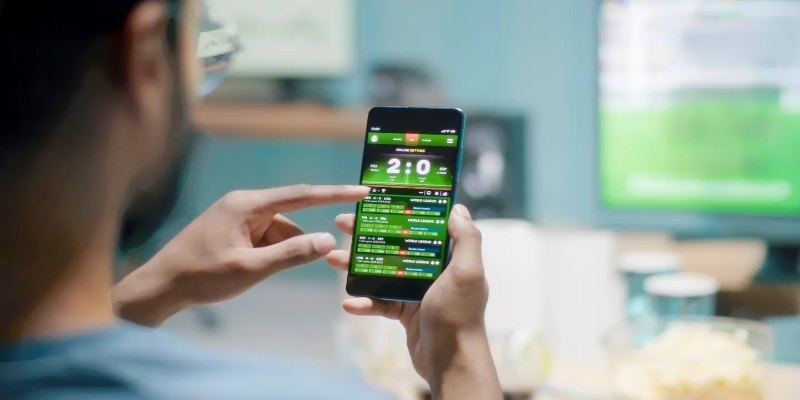
A phone showing a CAKHIA TV match page before kick-off
- Set your default league on the first visit, because doing it once means the homepage opens on the football you care about rather than a general summary of everything happening worldwide. The preference persists between sessions, so it is genuinely a one-time job. Most people settle on 3 or 4 competitions within a month.
- Pin your club to the top of the board so its fixtures and results sit where you will see them without scrolling, which matters most on a phone screen where space is tight. It also keeps their next kick-off visible without you going looking for it, which saves a check on every visit.
- Open the schedule tab the night before rather than 5 minutes before kick-off, since fixtures move for broadcast and weather reasons and finding out early is far less annoying than finding out at 21:00. Congested weeks around the turn of the year are the worst for this, with times shifting more than once.
- Choose your server calmly before the crowd arrives, as the 10 minutes either side of a major kick-off are the busiest of the week and a considered choice at 20:50 beats a panicked one at 21:01. On CAKHIA TV the selector sits inside the player, so it takes one tap and no hunting.
- Use headphones for commentary-led fixtures, particularly for the late kick-offs that make up most serious viewing here, because the rest of the household is asleep and the commentary is half the experience. Wireless pairs are worth having ready before the match rather than after it starts.
Conclusion
CAKHIA TV is designed to be used quickly, and the interface reflects that: live matches at the top, competitions in the sidebar, controls inside the player rather than buried behind a menu. Spend 2 minutes setting your leagues and following your club, learn where the server selector sits, and check the schedule the night before. CakhiaTV handles the rest, and the routine shrinks to opening a bookmark and clicking the match you already knew was there.
